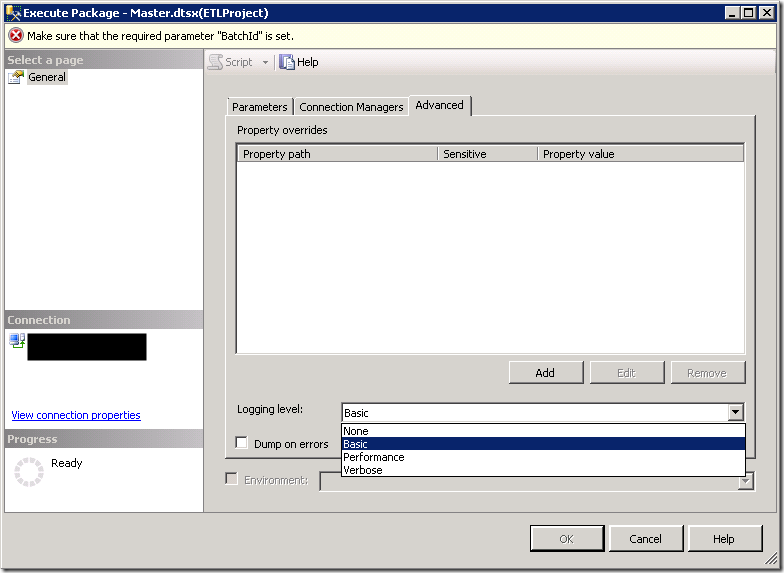
One of the powerful features of the SSIS Catalog is that it can automatically capture logs for packages run on the server. The logging level is set to Basic by default, and can be changed when the package is run on the Advanced tab of the run UI (as shown below. This can also be done when scheduling the package through SQL Agent).
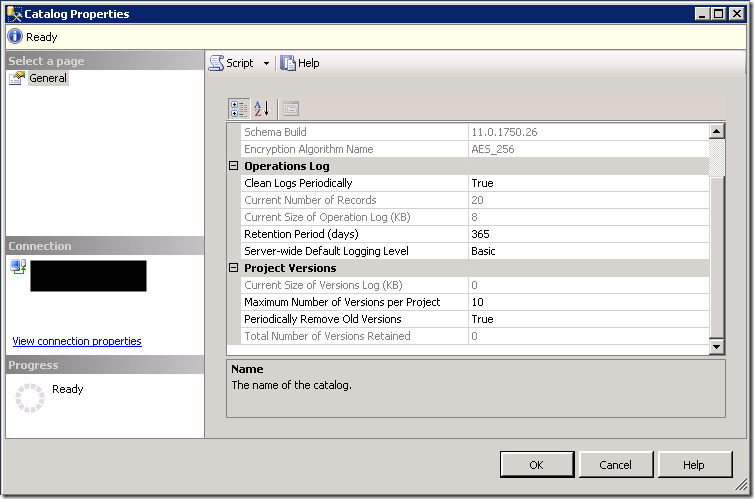
You can set a server wide default logging level on the Catalog properties page.
- Connect to the SQL Server instance using SSMS
- Expand the Integration Services Catalogs node
- Right click on the SSISDB node, select Properties
- Change the Server-wide Default Logging Level setting (in the Operations Log category)
See What Events are Included in the SSIS Catalog Log Levels for more information.
2 thoughts on “Setting a Default Logging Level in the SSIS Catalog”
Comments are closed.