SQL Server 2012 introduces the new Parameter model. Setting a parameter’s Required property to True means that a value must be supplied at runtime by the caller of the package (dtexec, SSMS, SQL Agent, the Execute Package Task, etc). This means that although the parameter has a default value at design time, it will never be used once the project is deployed.
Example
I have a package which loads a single flat file into a destination table. I’ve defined an InputFile parameter for the path of the file I want to load, and use it to set the ConnectionString of my Flat File Connection Manager. For my package to validate, I need to give it a default value (which points to a sample data file I can use for testing).

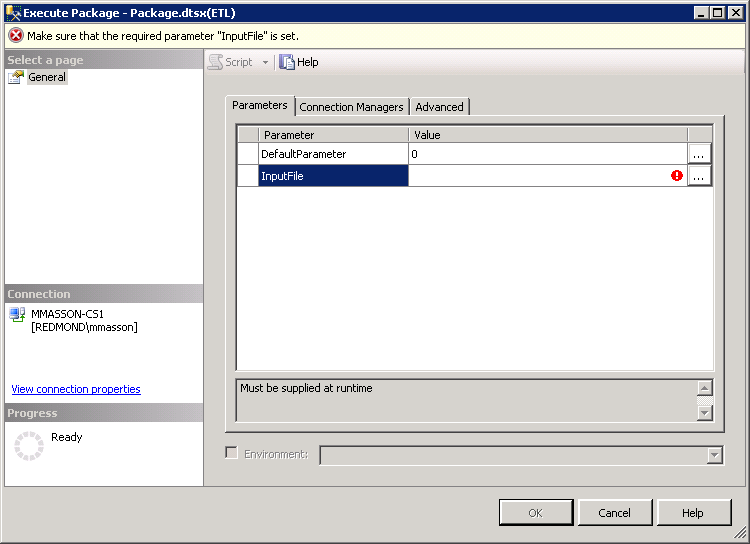
Setting Required to True for this parameter ensures that I won’t accidentally use it after deploying it to my test and production environments, as the package won’t run until I specify a new value.
This will hopefully prevent some of the painful-yet-amusing-because-they-didn’t-happen-to-me type stories I’ve heard over the years, like:
- Having your ETL processes running for a week before you realize that you forgot to update a connection string, and have been updating the test data warehouse with real customer data
- Loading sample data files that developers use for testing into your production data warehouse, causing such products as “YOUR MOM” and “I HATE THIS JOB” to show up on the company wide weekly sales report